![briefcatch-logo-new_dark.png]](https://support.briefcatch.com/hs-fs/hubfs/briefcatch-logo-new_dark.png?height=29&name=briefcatch-logo-new_dark.png)
This article explains the differences between our products to help determine which version you’re using.
One thing that is consistent across all of our products is our commitment to your privacy.
Regardless of the product, BriefCatch does not collect, store, or log any text from your documents or emails. Your content is never saved or accessible during processing. Our system ensures your document or email data remains private and secure at all times.
Contents
- BriefCatch Next
- BriefCatch 3
- BriefCatch Standalone
- BriefCatch Express
- BriefCatch for Outlook
- BriefCatch 2 (Deprecated)
BriefCatch Next
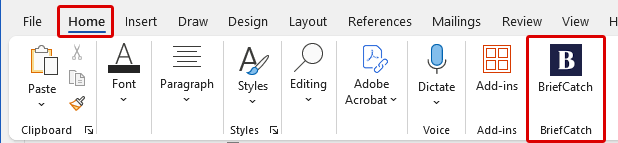
When you open BriefCatch from the Home tab in the Word ribbon, look for the icon with a dark-blue background and a white “B.” This indicates you’re using BriefCatch Next.
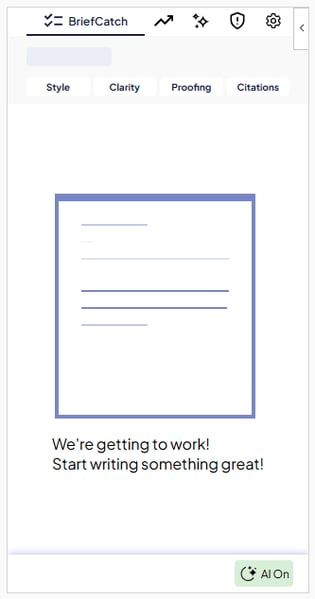
When BriefCatch Next is active, a side panel appears to the right to your document.
Quick Facts
- BriefCatch Next is the latest version of BriefCatch available as an Office Add-in (Microsoft Marketplace store).
- BriefCatch Next contains optional AI features, such as BriefChat and Enhanced Citation checks.
- BriefCatch Next is cloud based and requires an internet connection to function.
Learn more about BriefCatch Next:
- About BriefCatch Next
- BriefCatch Next FAQs
- How to Install BriefCatch Next
- BriefCatch Next User Guide
BriefCatch 3
When you open BriefCatch from the Home tab in the Word ribbon, look for the icon that appears as a briefcase (either red or blue). This indicates you’re using BriefCatch 3.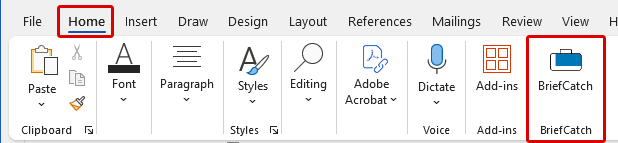
When BriefCatch 3 is active, a side panel appears to the right to your document.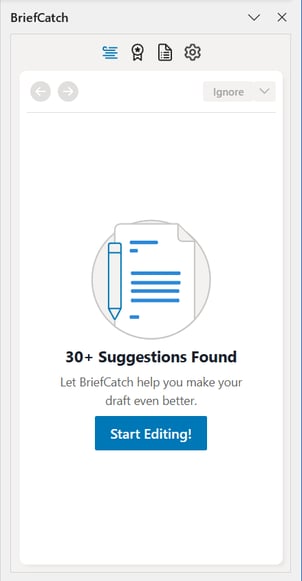
Quick Facts
- BriefCatch 3 is an Office Add-in available in the Microsoft Marketplace store.
- BriefCatch 3 is a web app and is not installed directly on your computer.
- BriefCatch 3 is cloud based and requires an internet connection to function.
Learn more about BriefCatch 3.
BriefCatch Standalone
If you open BriefCatch by clicking the BriefCatch S tab in the Word ribbon, you're using BriefCatch Standalone.
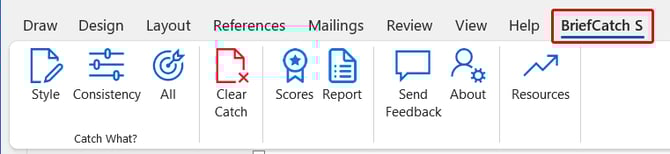
When BriefCatch Standalone is active, a side panel appears to the right to your document.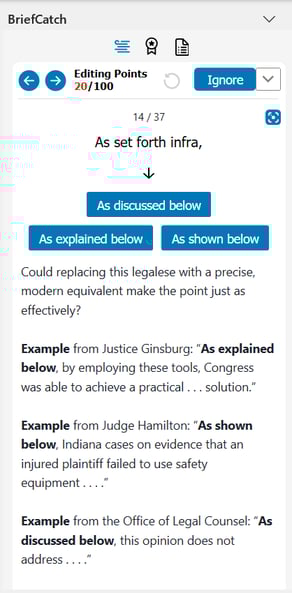
Quick Facts
- BriefCatch Standalone is a COM/VSTO add-in, installed directly to your computer.
- BriefCatch Standalone only runs locally and does not connect to the cloud or any servers during processing.
- BriefCatch Standalone does not require an internet connection to function.
Learn more about BriefCatch Standalone.
BriefCatch for Outlook
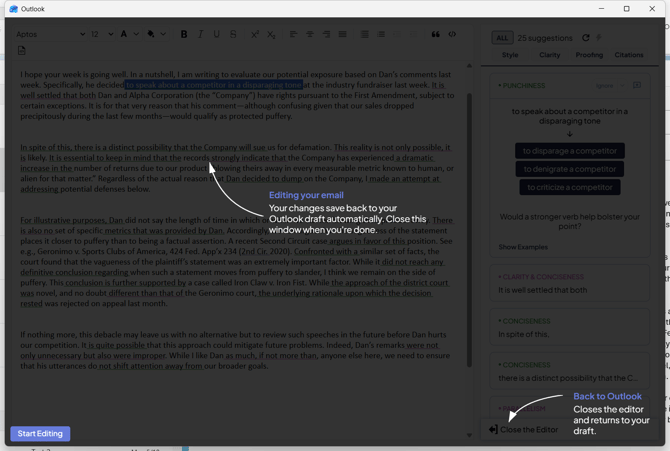
If you open BriefCatch by clicking the BriefCatch icon under the Message tab in the Outlook ribbon, you're using BriefCatch for Outlook. The icon only appears when composing a new email message.

When BriefCatch for Outlook is active, a side panel appears to the right to your email which opens an editor with suggestions to improve your email.
Quick Facts
- In BriefCatch for Outlook, the editor opens in a separate window for the best editing experience.
- Express Editing, Scores, and Reports are available in BriefCatch for Outlook.
Learn more about BriefCatch for Outlook.
BriefCatch 2 (Deprecated)
If you open BriefCatch by clicking the BriefCatch tab in the Word ribbon, you're using BriefCatch 2.

Quick Facts
- BriefCatch 2 support ended on December 31, 2022.
- The last release of BriefCatch 2 was in September, 2022.
- All BriefCatch 2 users can update to BriefCatch Next for free.
Note: If you still have BriefCatch 2 installed, we strongly recommend updating to BriefCatch Next.
Still Not Sure?
If you're still unsure which version of BriefCatch you're using, reach out to our support team, and we'll help you identify it.