![briefcatch-logo-new_dark.png]](https://support.briefcatch.com/hs-fs/hubfs/briefcatch-logo-new_dark.png?height=29&name=briefcatch-logo-new_dark.png)
BriefCatch Next is now available!
We recommend that all users transition to BriefCatch Next, which includes all of the core features of BriefCatch 3 along with enhanced accuracy, a modernized interface, expanded suggestions, and optional AI-powered tools.
If you already have a BriefCatch 3 account, you can sign in to BriefCatch Next with your existing credentials, no setup or migration required.
BriefCatch works entirely within Word, allowing you to edit your documents in real time.
Contents
- Getting Started
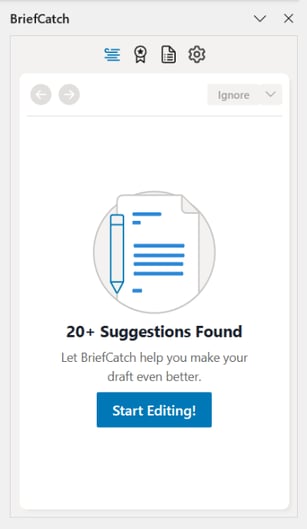
- Review Suggestions
- Score Your Document
- View Document Report
- BriefCatch 3 Training Video
- BriefCatch 3 User Guide
- Help & Support
Getting Started
After BriefCatch 3 is installed, open Word and click on the BriefCatch icon from the Home tab ribbon to get started.
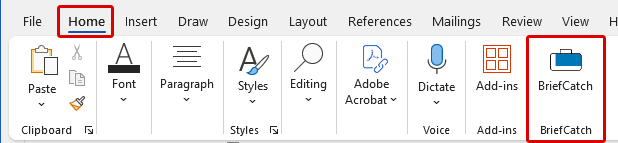
Can't find the BriefCatch icon?
- Navigate to Home > Add-ins and search for BriefCatch.
- Check with your administrator to make sure you have access.
- Review our installation guide.
- Get in touch so we can help.
Review Suggestions
- Clarity & Conciseness: Streamline sentences, remove redundancies, and sharpen your message.
- Strong Voice: Promote active voice and vivid language for more engaging text.
- Accuracy & Consistency: Ensure correct citations, punctuation, and formatting.
- Grammar & Usage: Catch agreement errors, split infinitives, and common confusions.
- Style & Tone: Adjust word choice for punchiness and audience appropriateness.
- Real-Time Insights: Receive instant feedback and examples drawn from legal writing.
- Alternatives: Click an option to apply the suggested edit directly.
- Explanation: Understand why the text was flagged.
- Examples: Review real-world instances from judges and attorneys.
- Use the Left and Right Arrows to navigate and review the flagged catches without making changes.
- For each flagged item, use the Ignore option to skip the current suggestion or Ignore the rule, to remove similar flags in the document.
- Use the Target Icon to bring the focus in the document back to the current flagged suggestion.
-png.png?width=392&height=613&name=image%20(19)-png.png)
Score Your Document
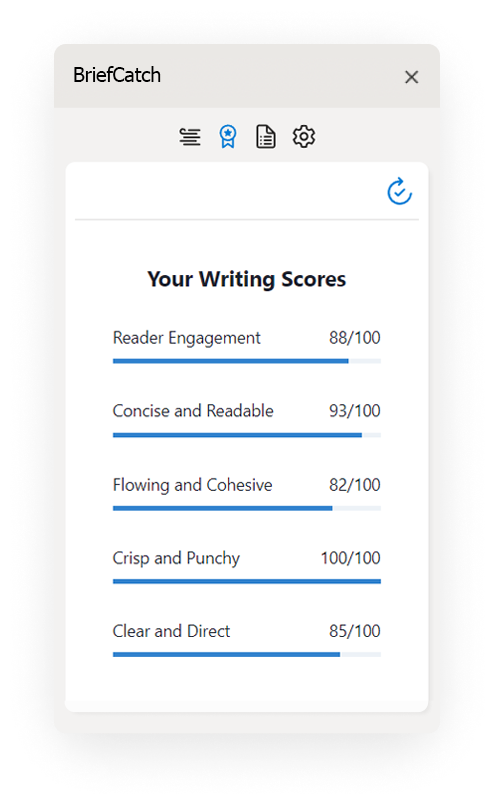
- Concise & Readable: Modern readability focusing on word and sentence variation.
- Flowing & Cohesive: Transitions and modifier use for polished legal writing.
- Crisp & Punchy: Word choice that avoids cumbersome language.
- Clear & Direct: A measure of modern tone without legalese.
- Reader Engagement: A global measure combining all categories via regression analysis.
View Document Report
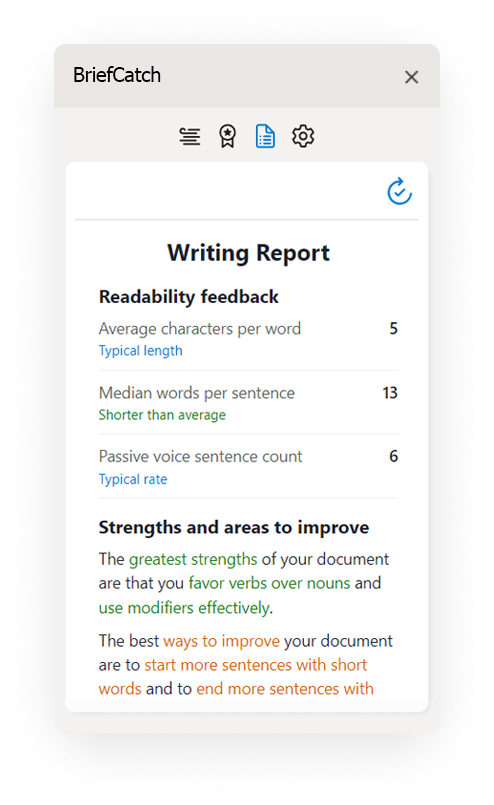
Click the Document Icon to generate a detailed report of the document’s style strengths, weaknesses, and wording patterns. The Writing Reports are meant to help you become a better writer, by helping you spot writing patterns and build on your strengths.
BriefCatch 3 Training Video
The below video is a quick walkthrough showing how to use BriefCatch 3 and navigate through suggestions.
BriefCatch 3 User Guide
The below user guide is a downloadable PDF showing how to use all of the functions within BriefCatch 3.
Help & Support
Need help? Our support team is happy to assist you!
- Submit a Support Request
- or email us directly: help@briefcatch.com